MCP Server Config
No account? Create one first
Claude
Desktop & web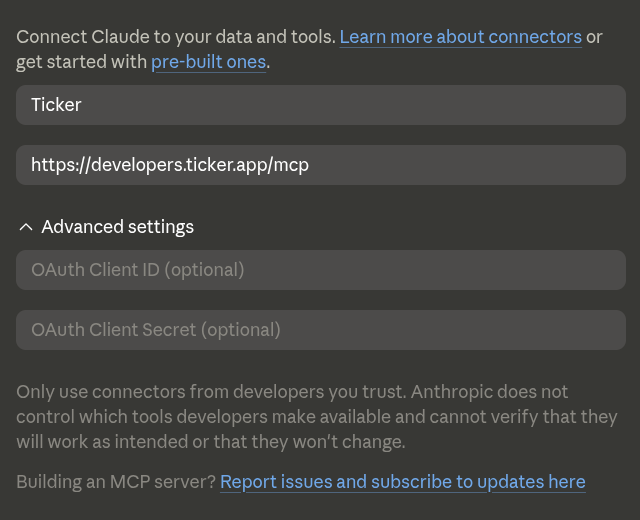
- 1Settings → Connectors → Add custom connector
- 2Name it
Ticker, paste the link below - 3Add, then sign in
https://developers.ticker.app/mcp
ChatGPT
Plus / Pro / Business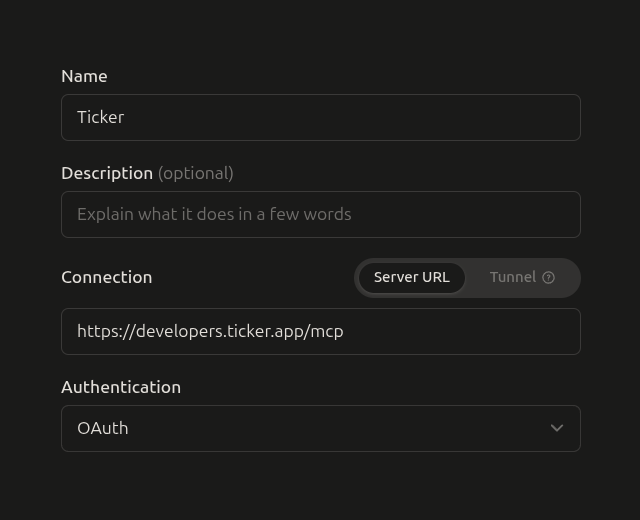
- 1Settings → Connectors → Advanced → Developer mode
- 2Create → Add custom connector, paste the link below
- 3Sign in
https://developers.ticker.app/mcpRead-only tools, so Plus and Pro work.

Mistral Chat
Web & app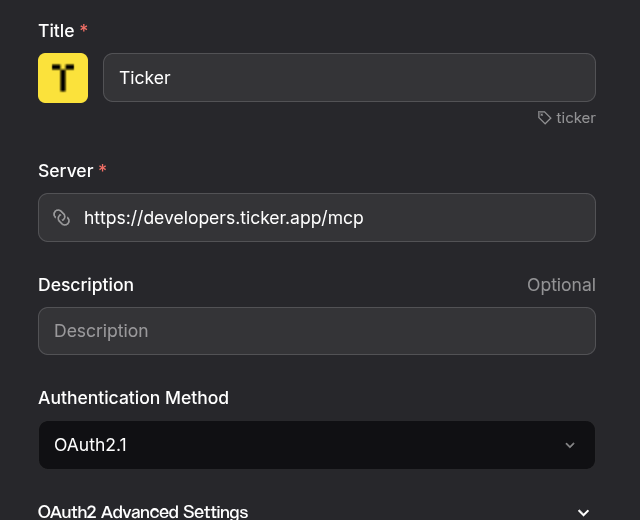
- 1Connectors → Add connector → Custom MCP connector
- 2Name it
Ticker, paste the link below - 3Connect, then sign in
https://developers.ticker.app/mcpClaude Code
claude mcp add --transport http ticker https://developers.ticker.app/mcpThen run /mcp and sign in.

OpenAI Codex
[mcp_servers.ticker]
url = "https://developers.ticker.app/mcp"
Cursor
{ "mcpServers": { "ticker": { "url": "https://developers.ticker.app/mcp" } } }
VS Code
{ "servers": { "ticker": { "type": "http", "url": "https://developers.ticker.app/mcp" } } }What you can ask for
Read-only tools over UK regulatory news and fund data. Your plan decides which ones answer. compare plans.
list_rns_disclosuresSearch and filter RNS announcementsget_rns_disclosureFetch one announcementlist_navLatest NAV across the universeget_navLatest NAV for one instrumentget_nav_historyNAV over timeget_buyback_summaryNAV accretion and average discountget_buyback_historyEvery repurchase announcedget_dividend_summaryWhere the dividend cycle standsget_dividend_historyEvery dividend declaredget_corporate_eventsResults, AGMs and dividend datesget_performanceReturns the issuer states itself